




1: install "SSD1306 I2C Display for Home Assistant" component:
HACS (Recommended)
1. Open HACS in your Home Assistant instance
2. Click on "Integrations"
3. Click the three dots in the top right corner
4. Select "Custom repositories"
5. Add this repository URL: https://github.com/hzkincony/hass-ssd1306
6. Select category: "Integration"
7. Click "Add"
8. Find "SSD1306 I2C Display" in HACS and click "Download"
9. Restart Home Assistant
Manual Installation
1. Clone or download this repository
2. Copy the custom_components/ssd1306_i2c directory into your Home Assistant custom_components folder
3. Restart Home Assistant
2: Test: home assistant "Settings" -- "Developer tools" -- "Actions" search "print text"
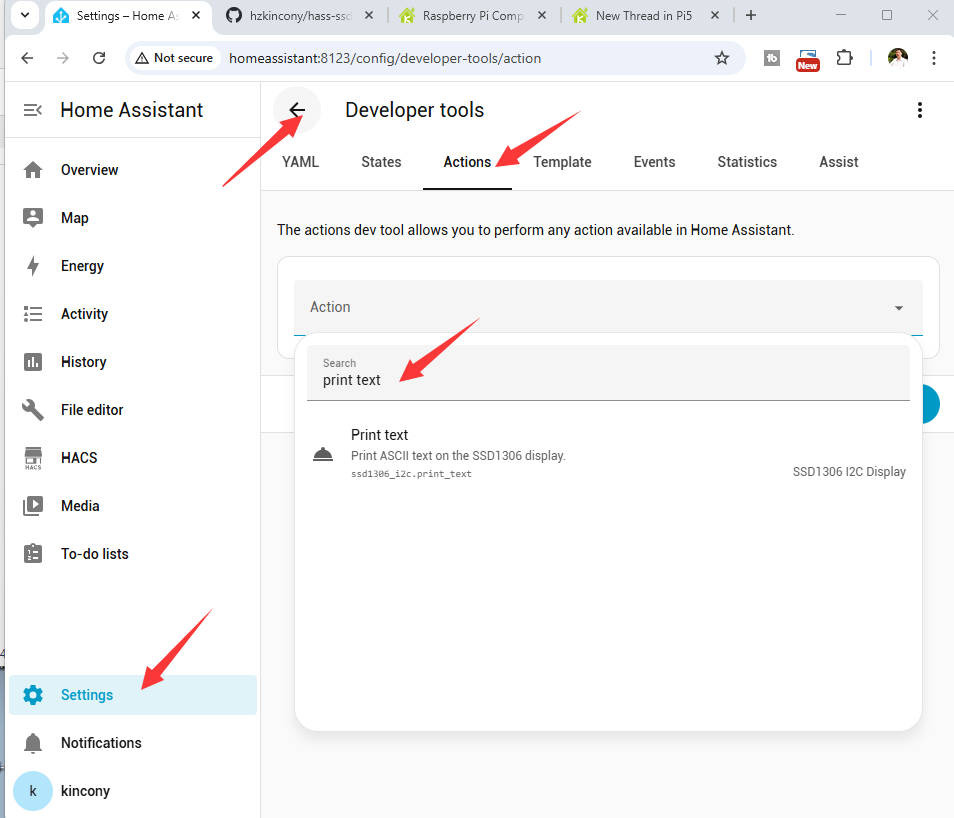
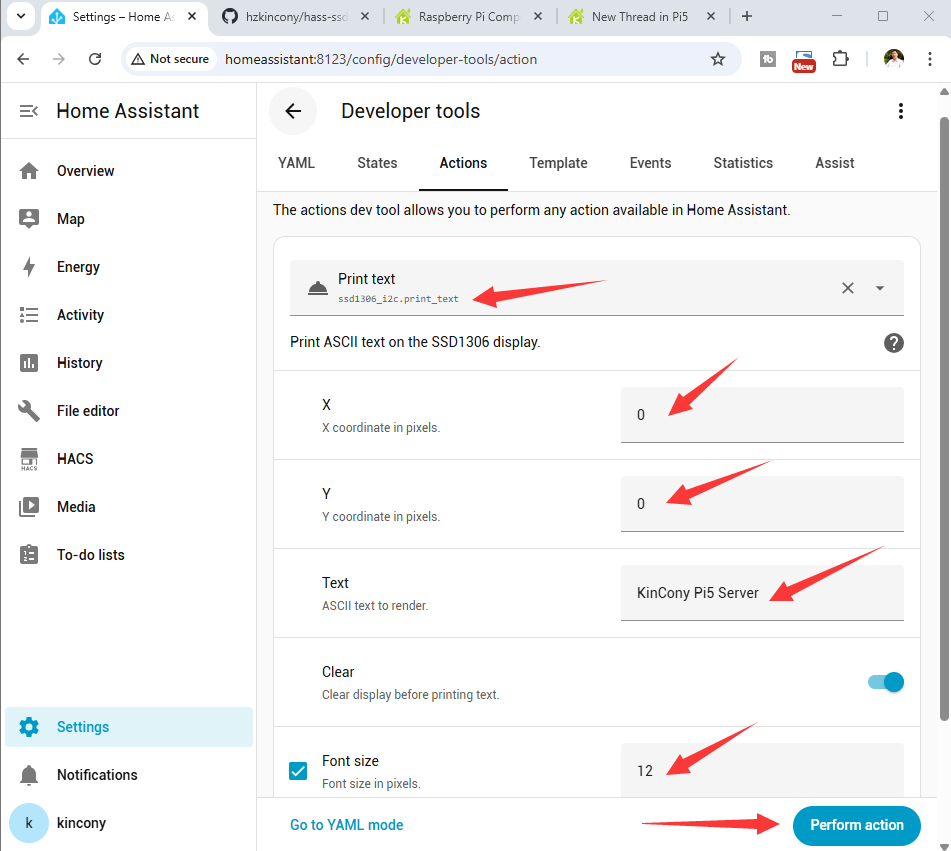
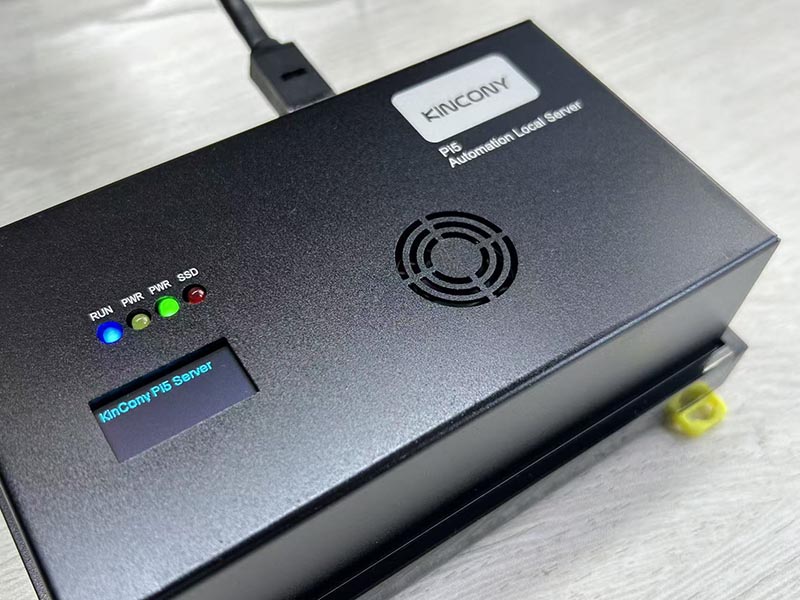
select "ssd1306_i2c.print_text" action, set the X, Y, Text, Font size , then click "Perform action" to show in OLED display.
3: note: make sure your CM5 have enabled i2c bus.
how to enable CM5 i2c bus, see here: https://www.kincony.com/forum/showthread.php?tid=9074
HACS (Recommended)
1. Open HACS in your Home Assistant instance
2. Click on "Integrations"
3. Click the three dots in the top right corner
4. Select "Custom repositories"
5. Add this repository URL: https://github.com/hzkincony/hass-ssd1306
6. Select category: "Integration"
7. Click "Add"
8. Find "SSD1306 I2C Display" in HACS and click "Download"
9. Restart Home Assistant
Manual Installation
1. Clone or download this repository
2. Copy the custom_components/ssd1306_i2c directory into your Home Assistant custom_components folder
3. Restart Home Assistant
2: Test: home assistant "Settings" -- "Developer tools" -- "Actions" search "print text"
select "ssd1306_i2c.print_text" action, set the X, Y, Text, Font size , then click "Perform action" to show in OLED display.
3: note: make sure your CM5 have enabled i2c bus.
how to enable CM5 i2c bus, see here: https://www.kincony.com/forum/showthread.php?tid=9074
YouTube: https://www.youtube.com/c/KinCony
Online Store: https://shop.kincony.com
Alibaba Store: https://kincony.en.alibaba.com/
Online Store: https://shop.kincony.com
Alibaba Store: https://kincony.en.alibaba.com/